Chop A Forest Trucks and Log Transport Guide
Plan a Chop A Forest truck route from a compact cutting patch to the selling area, with practical loading, unloading, pickup and processing checkpoints.
Use a truck when repeated long hand deliveries dominate the run. Choose a loading spot and selling destination, verify the truck load, complete an easy delivery, and then expand the route.
View reference image
On this page
A truck should replace repeated journeys
Use a truck in Chop A Forest when logs are far enough from the selling point that repeated hand deliveries dominate your work. The public tutorial by NoobBlox shows buying a starter truck, driving it to felled trees, loading logs, and bringing the load back to sell. That supports a transport guide. It does not support a complete vehicle tier list or a claim that a truck is always the first purchase.
The official listing confirms the broader cut, collect, sell, and upgrade loop. Vehicle behavior here comes from recorded gameplay rather than an official specification or our own playtest. Check your current vehicle menu and prompts. Prices, capacities, unlocks, and premium offers are deliberately omitted because a recorded shop is not a reliable permanent price database.
Recognize the point where hand delivery stops being convenient
At the start of a run, a tree beside the selling machinery can be an efficient place to learn. You are close to the destination and can complete a sale without much travel. As you clear that area, the next useful trees become farther away. More of each trip then consists of walking the same route with a full inventory instead of producing or collecting wood.
This is the moment to examine transport. Do not measure progress only by how quickly you can fell one tree. Ask how long it takes to turn the logs from a small patch into spendable money. A powerful cutting tool can create a larger pile without reducing the number of return trips required to sell it.
Before buying a truck, complete one ordinary hand-delivery trip from the area you want to work. Notice the distance, the available carrying space, and the logs left behind. That gives you a practical baseline. You do not need to estimate an exact vehicle payback time from numbers that have not been verified.
Plan the route before spawning the vehicle
Choose two endpoints: a loading spot near a compact group of trees, and an unloading spot that makes the selling area easy to reach. A truck is useful when both ends work. Parking it far from the logs adds carrying inside the collection phase; parking it awkwardly at the destination adds handling at the sale phase.
Start with an accessible route you can recognize. In the recorded gameplay, the truck is driven around the forest and brought back to the selling area. This guide does not claim a particular collision rule, respawn shortcut, road requirement, or recovery button. Avoid inventing a driving route around terrain that you have not yet inspected in your own session.
Leave enough room to understand the loading interaction. Your first trip is a systems check: can you get the vehicle where you need it, load the wood, return, and complete the sale? A modest successful delivery teaches more than an ambitious full load stranded at a place you cannot unload comfortably.
Cut a compact patch and collect deliberately
Work in a small area around the loading point. Felling trees over a wide region can make the truck seem necessary while also making every pickup less efficient. A compact patch reduces the number of places you need to revisit and makes loose logs easier to keep track of.
The tutorial suggests cutting nearby trees while others finish falling. Use that overlap only while you still know where the resulting logs will be. A large field of unfinished collection work is not the same as a truck ready to deliver. Switch from cutting to pickup before the loose wood becomes difficult to organize.
If your backpack fills during collection, transfer or unload according to the prompts shown by your game. The recorded truck has its own load counter. Read that counter rather than assuming backpack capacity and truck capacity combine in a particular formula. The sources do not provide a tested account of every inventory transfer edge case.
Verify loading before moving on
After using the load interaction, confirm that the truck’s displayed load changes. This is a better checkpoint than assuming a click or button press succeeded. If it does not change, check whether you are close enough to the intended interaction and whether you actually have logs ready for transfer. Do not repeatedly drive away from a half-understood loading step.
You can make a useful trip before filling every available space. If the destination is nearby or you need money for a specific purchase, finishing the sale can be sensible. A full truck is a transport option, not a requirement to create extra waiting. Choose the batch around the work available in your patch and the purpose of the delivery.
The same reasoning applies when only scattered logs remain. Decide whether collecting them now completes the patch efficiently or whether you are spending most of the time searching. Avoid claiming that abandoned logs persist forever, survive every reconnect, or belong to a particular teammate; those ownership and persistence rules have not been verified here.
Treat unloading and processing as separate checkpoints
Returning to the selling area is not the end of the sale. Unload using the interaction your game presents, confirm that the vehicle load falls, and check that logs reach the selling machinery. Then verify that processing and money collection proceed. These separate checks help you locate a problem without assuming the vehicle is broken whenever the cash balance has not changed yet.
The public recordings show a batch continuing through the chipper while other work takes place. You may be able to return to cutting during that processing. Watch the current queue before leaving. Do not interpret this overlap as a guarantee of offline processing or a promise that every item is already sold the moment it leaves the truck.
If the sale point consistently has a backlog when you return with the next load, transport may have moved the delay downstream. That is a reason to inspect chipper speed, rather than immediately saving for an even larger vehicle. The upgrade priorities guide explains how to identify that change.
Combine the truck with collection equipment
A backpack and a vacuum remain useful around a truck because wood still has to be gathered and transferred. The tutorial demonstrates a vacuum collecting logs into the player’s carrying space, while the truck handles the longer journey. These tools serve different parts of the route. Buying one does not prove that the other has become obsolete.
If walking between a log and the parked truck is the main work, repositioning may solve more than a purchase. If many logs are close together but pickup takes time, a collection upgrade may have a clearer purpose. If collection is already quick and every trip ends with spare vehicle space, a bigger truck is unlikely to address the delay you are experiencing.
Keep purchases tied to those observations. This site does not rank vehicles by value or recommend premium currency spending. The recorded shop includes several offers, but their current availability and account persistence need separate verification.
Coordinate a friend run without assuming shared ownership
The official description says friend runs and solo runs save. It does not specify who owns every vehicle, whether one player’s purchase is available to everyone, or how host changes affect a run. Agree on a work plan before spending together, and inspect the current game messages for ownership and save behavior.
A practical coordination plan is to announce a loading area and the next delivery, so players do not spread the same collection work across distant patches. One person can focus on a nearby stage while another is handling transport if the current game allows the necessary interactions. That is a teamwork suggestion, not a verified job system or a claim that every transfer works across players.
End a transport session with the current delivery completed where practical, note which run you used, and keep a clear next destination. Return to the guide hub if you need to review the early sale loop. The goal is reliable movement from tree to money, with every stage understood before the route grows larger.
Official game media
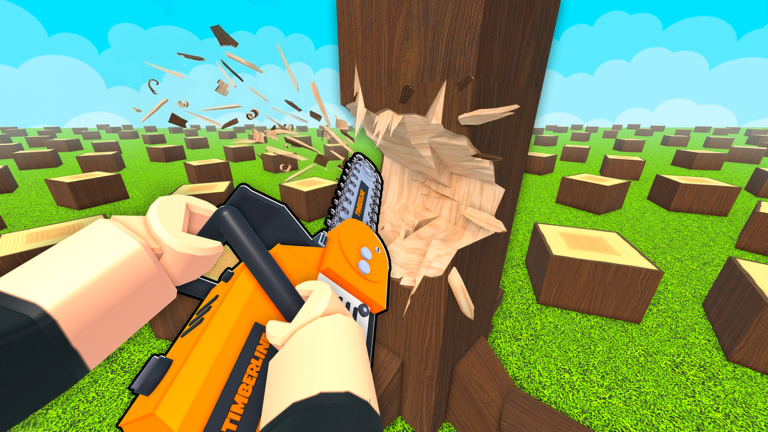
Official Roblox promotional artwork by WCT Capital. This image illustrates the game identity, not a tested gameplay instruction. Rights remain with the respective owners; editorial reference with attribution. Official source. For rights questions, contact linming7277@gmail.com.
Step-by-step guide
- Choose both route endpoints
Identify a compact patch of trees for loading and an accessible unloading spot near the selling machinery.
- Verify collection and loading
Gather logs, use the current loading prompt, and confirm the vehicle counter changes before driving away.
- Unload and confirm the sale
Return, unload according to the visible interaction, and check processing and money collection as separate checkpoints.
Video evidence
Watch creator walkthroughs alongside this guide. Check the recording date before following requirements that may have changed.
Chop A Forest Guide! (Codes, COMPLETE FAST, Tips & Tricks, Best Class Tier List, & MORE) ROBLOX
A recorded opening covers the axe, backpacks, tool upgrades, truck loading, vacuum and chipper workflow. Creator observations are dated evidence, not our own playtest.
How to Play Chop A Forest Roblox Full Guide
A shorter introduction shows a solo entry, early tree cutting, log selling and the upgrade menu. Use current on-screen prompts for your device.
Sources
Recheck these links whenever the game version, release status, or strategy changes.
- Chop A Forest — official Roblox listing WCT Capital; official cut, collect, sell, tool and save description. Checked 16 October 2026.
- NoobBlox — recorded beginner and equipment route Creator gameplay. Metadata upload date is 14 October 2026; the search index labels it 15 October. Native metadata is used here.
- VendoPlus — recorded first-session introduction Creator gameplay; upload date 13 October 2026 from yt-dlp metadata.