Chop A Forest Tools and Upgrade Priorities
Choose between axe upgrades, carrying capacity, movement, a vacuum, trucks, and chipper speed by finding the actual delay in your Chop A Forest sale loop.
Upgrade the stage that slows completed sales: cutting first when trees take too long, carrying when trips are frequent, collection when logs pile up, and processing when the chipper stays backed up.
View reference image
On this page
Buy an upgrade for a delay you can name
The best upgrade in Chop A Forest is the one that removes the delay dominating your current run. The official game listing confirms that logs become coins and coins buy and improve tools. It also mentions classes, but does not publish a full price list, rarity table, or optimal build. This guide focuses on the early equipment decisions actually visible in NoobBlox’s tutorial and the supporting gameplay recordings.
Those recordings show an axe, tool-specific upgrades, backpacks, movement upgrades, a truck, a vacuum, and chipper speed. They establish the presence and broad purpose of these systems in the recorded version. They do not establish today’s exact balance. The recommendations below are our planning advice based on that workflow, not a timed speedrun result or a promise that every server has the same shop.
Separate the work into four stages
A completed sale depends on cutting, collecting, transporting, and processing. Cutting creates loose logs. Collecting puts them within your carrying or vehicle system. Transport moves them to the sale point. Processing converts the delivered wood into money. Making one stage faster can reveal another stage that was previously hidden by the first.
Watch one ordinary trip without buying anything. Notice whether you spend most of it attacking a tree, finding and picking up scattered logs, returning with a full load, or waiting beside the selling machine. This observation is more useful than counting the number of upgrades you own. You need the next trip to improve, not merely a longer purchase history.
If two stages seem equally slow, choose the change you can evaluate most clearly on a familiar route. For example, the same nearby trees and selling point make it easier to judge a cutting or carrying improvement than changing equipment and relocating across the map at the same time. Keep the comparison simple enough to learn something from it.
Start with an effective cutting tool
The recorded opening replaces the starter attack with an axe. That is a useful early milestone because it changes the action you repeat at every tree. Inspect the current shop rather than copying a recorded cash amount. After buying the tool, equip it and compare a familiar tree with your previous experience. A purchase is not helping if the old tool is still the one you are using.
The tutorial shows sharpness, speed, and a hold upgrade for the axe. Their practical roles differ. Sharpness and speed concern how cutting proceeds; hold changes the repeated-input experience shown in the recording. Read the current labels before buying. This guide does not claim a damage-per-second formula, a universal attack-speed breakpoint, or identical behavior on touch devices.
Comfort matters in a long cutting session. If repeated clicking is the reason you slow down or stop, a hold option may be useful even when another upgrade would look better in a theoretical comparison. Treat that as an input and comfort choice. It is not evidence that the upgrade is mathematically optimal for all players.
Recheck capacity after improving the tool
Faster cutting creates logs sooner. If you now leave many logs behind every time your carrying space fills, a backpack becomes a candidate for the next purchase. The NoobBlox route deliberately buys carrying capacity after its first tool. The reason is reduced backtracking, rather than a hidden sale multiplier.
Do not add together narrated backpack numbers to create a capacity table. The available tutorial describes its totals inconsistently at points, and we have not tested how the current game distinguishes a backpack’s label from total inventory space. Your visible inventory counter is the working authority for your run. Record what it shows before and after the purchase if you need an exact comparison.
Capacity is especially useful when it changes a route you already repeat. If a short trip currently requires several returns to clear a small group of felled trees, a larger load may remove whole trips. If your route ends before the inventory fills, more room alone will not make that route faster. Address the constraint that is present, not one that might appear later.
Decide between walking improvements and a truck
The tutorial buys movement upgrades and demonstrates a truck for farther logging trips. These solve related but different problems. Walking improvements affect the movement you continue to do around the trees and selling area. A truck provides a larger delivery option with driving and loading actions of its own. Neither removes the need to plan where logs will be gathered.
Choose a compact patch for hand delivery and a clear loading spot for vehicle delivery. Once the nearest trees have been cleared, compare how often you would need to walk the longer distance against one truck journey. Our transport guide breaks down that change. You should not buy a vehicle merely because the next row in the shop is visible.
The NoobBlox narrator describes movement upgrades as a longer-lasting investment than spending heavily on an axe that will later be replaced. That is the narrator’s reasoning in that version. It is not proof that every movement purchase persists through every reset or transfers between all run types. Check the current game’s descriptions before treating any purchase as permanent account progression.
Use the vacuum when pickup is the work
The recorded vacuum pulls loose logs into the player’s backpack. Its main value is collection convenience and speed. It does not remove carrying limits or automatically establish an efficient truck route. If you can already pick up the small number of logs you create without delay, a vacuum may be less urgent than the tool or backpack that is visibly holding you back.
A different situation appears once you have several felled trees and spend much of the trip collecting their wood. There the vacuum directly targets a repeated action. Pair it with enough available carrying space and a nearby unloading plan. Otherwise you can collect a full inventory quickly and still spend most of the session repeating the same long return journey.
This is also why buying upgrades in isolation can disappoint. A better pickup tool and a nearly full backpack are an incomplete combination. Plan the collection stage together with the place the logs will go next. No rare class is needed to understand that relationship.
Buy chipper speed for an actual backlog
The selling machinery can keep processing while you return to cutting in the recorded tutorial. If it finishes before your next delivery, extra chipper speed has little visible work left to save on that cycle. If batches remain backed up and you repeatedly wait for the sale, processing speed has a clearer purpose.
Observe this over more than one normal delivery. A single large cleanup batch can temporarily overwhelm a machine even when the regular route is balanced. Upgrading around an unusual pile may not help the trips you make for the rest of the session. Conversely, a truck route that consistently brings larger loads can make a previously adequate chipper the new bottleneck.
There is no verified coins-per-minute calculator on this site because the required current processing, tree, capacity, and travel values have not been established. You can make a sound purchase decision by observing the queue and your idle time without pretending to know a precise return on investment.
Know when to stop upgrading one item
Before spending more on the current tool, ask what you plan to do next. If you are close to replacing it, inspect the replacement’s current requirements first. If you are remaining in the same patch with the same equipment, a targeted improvement can be useful immediately. Neither answer requires an invented universal shopping list.
Save a simple note after a major purchase: what was slow, what you bought, and what changed on the next trip. Then revisit the beginner route if the full sale loop still feels unclear. Leave unverified class odds, mutation rates, code rewards, and reset assumptions out of the decision. A clear next bottleneck gives you a stronger progression plan than a speculative tier list.
Official game media
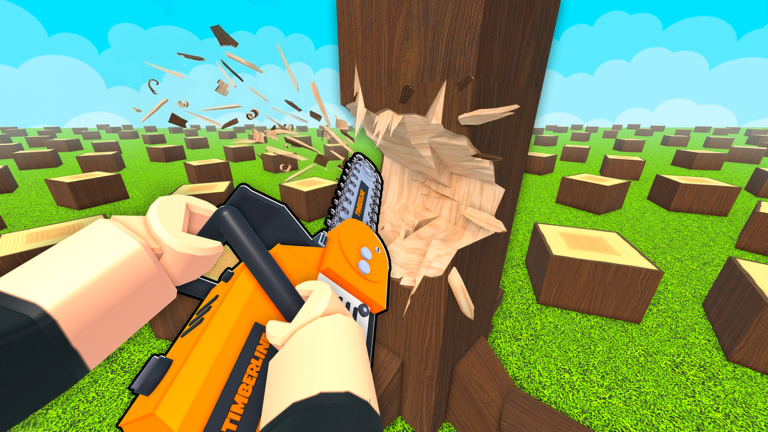
Official Roblox promotional artwork by WCT Capital. This image illustrates the game identity, not a tested gameplay instruction. Rights remain with the respective owners; editorial reference with attribution. Official source. For rights questions, contact linming7277@gmail.com.
Step-by-step guide
- Observe a normal delivery
Complete one familiar route and identify time spent cutting, collecting, transporting and waiting for the sale.
- Choose a purchase with a clear job
Read the current upgrade description and buy for the delay you observed, rather than copying a potentially outdated price list.
- Check the next complete cycle
Use the same familiar route after the upgrade and look for the next stage that now limits the flow.
Video evidence
Watch creator walkthroughs alongside this guide. Check the recording date before following requirements that may have changed.
Chop A Forest Guide! (Codes, COMPLETE FAST, Tips & Tricks, Best Class Tier List, & MORE) ROBLOX
A recorded opening covers the axe, backpacks, tool upgrades, truck loading, vacuum and chipper workflow. Creator observations are dated evidence, not our own playtest.
How to Play Chop A Forest Roblox Full Guide
A shorter introduction shows a solo entry, early tree cutting, log selling and the upgrade menu. Use current on-screen prompts for your device.
Sources
Recheck these links whenever the game version, release status, or strategy changes.
- Chop A Forest — official Roblox listing WCT Capital; official cut, collect, sell, tool and save description. Checked 16 October 2026.
- NoobBlox — recorded beginner and equipment route Creator gameplay. Metadata upload date is 14 October 2026; the search index labels it 15 October. Native metadata is used here.
- VendoPlus — recorded first-session introduction Creator gameplay; upload date 13 October 2026 from yt-dlp metadata.